
Warm White Paint Colors on Your Room Photo
Upload a photo of your room and see a soft warm white on your own walls, with the furniture, trim and floor kept the same. Compare a few cream-toned whites before you buy a sample.
Free account required. New accounts get 1 free render (watermarked), then paid plans.
Try it on your own photo
Upload a room photo, ask for a warm white on the walls, and compare the result with the original. Keep the trim and furniture the same so only the wall color changes.
Warm White Walls, Before and After
The before photos are AI-drawn stand-ins, not photos of real homes. The camera angle and light stay the same and only the wall color should change. A render shows a color idea, not real paint.
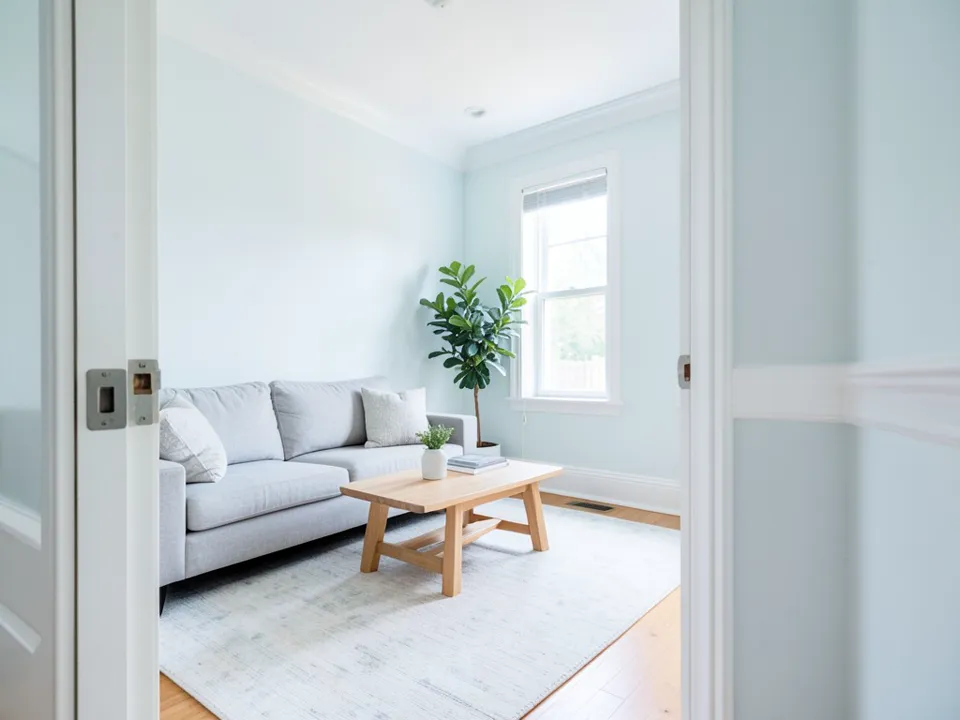 Before
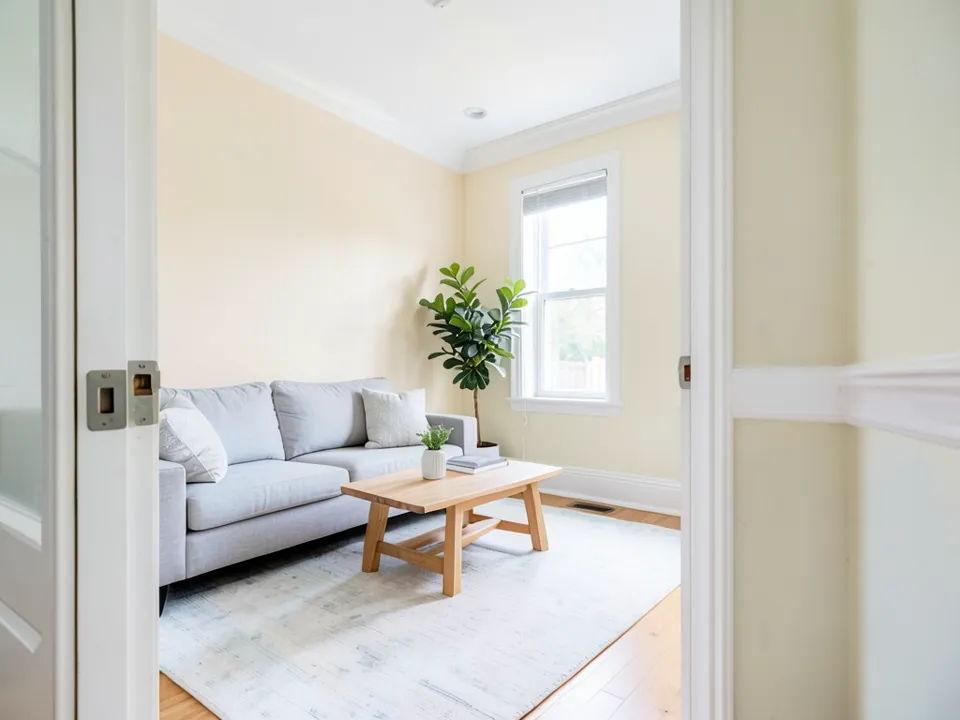 After
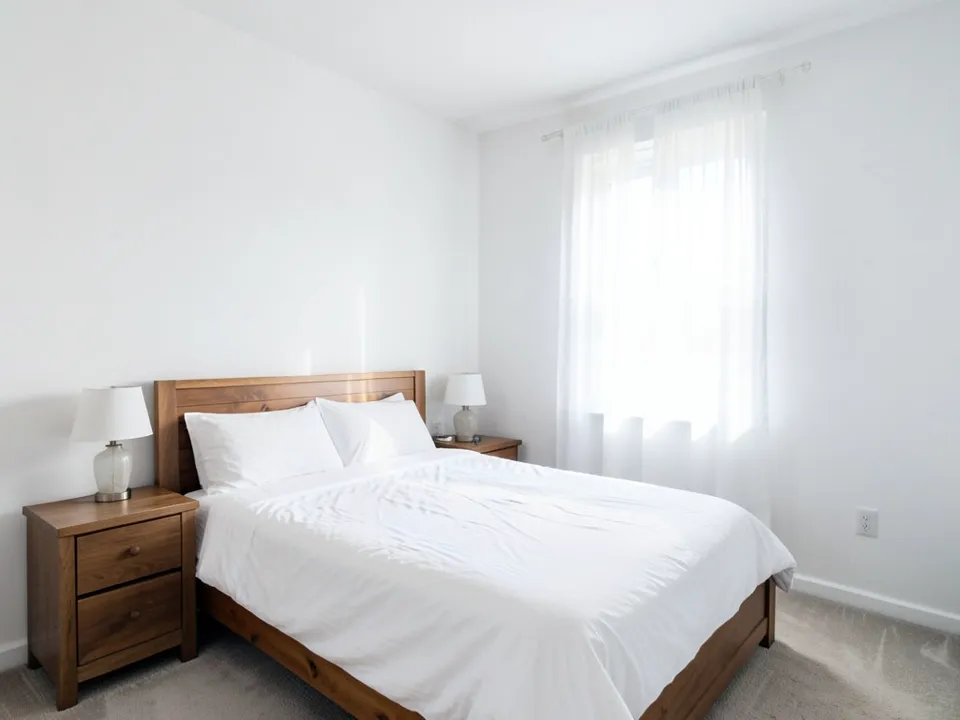 Before
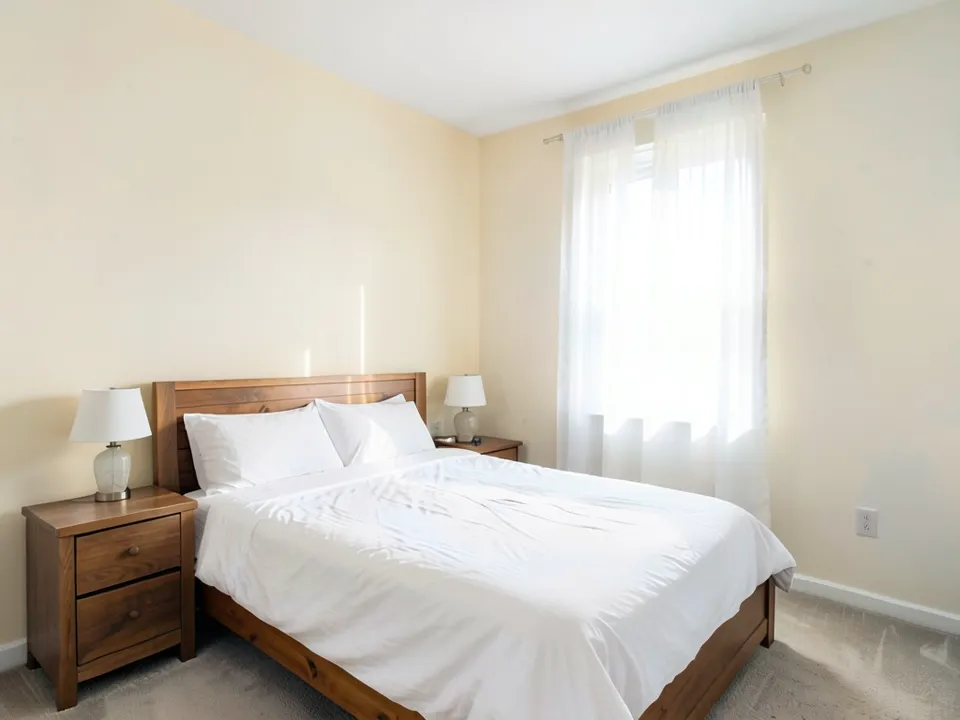 After
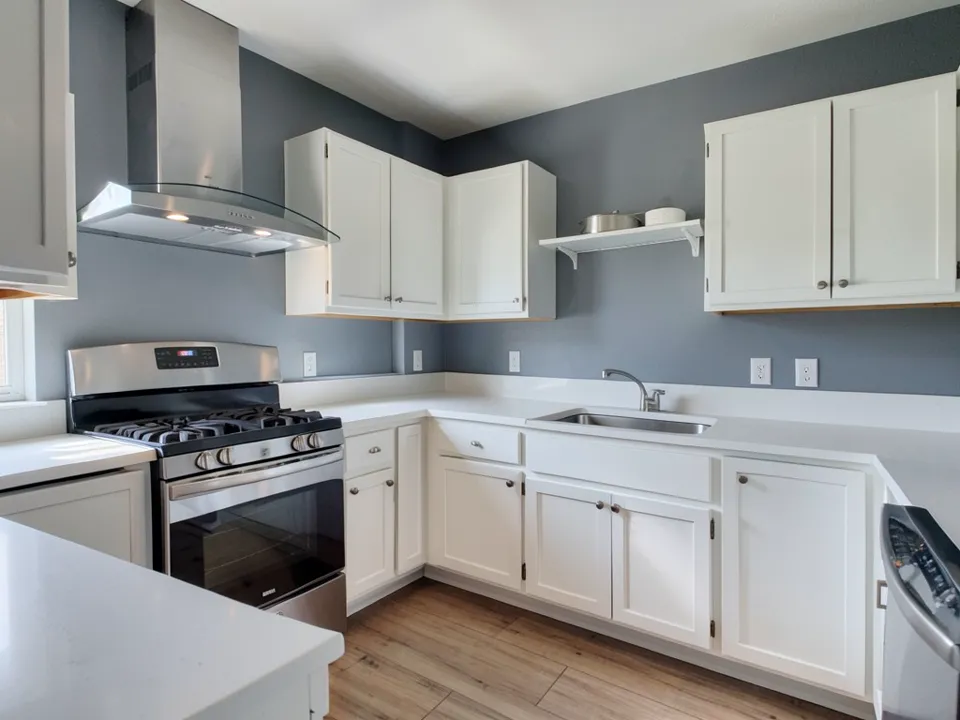 Before
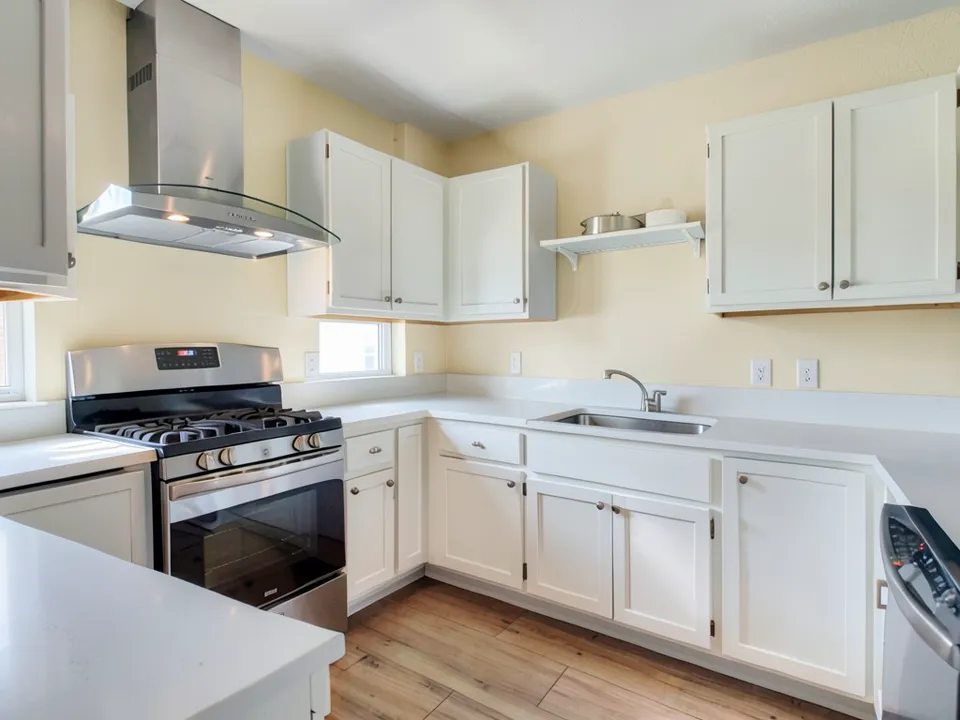 After
What Changes a Warm White
- Undertone: most warm whites lean yellow, cream, beige or pink. A pink-leaning white can look rosy, and a yellow-leaning one can look buttery.
- Light direction: north-facing rooms get cooler light and south-facing rooms get warmer light, so the same warm white can read differently in each room.
- Nearby colors: white cabinets, trim and flooring change how a wall reads. Look at the wall next to them, not on its own.
- Strength: a strong yellow or orange tint can make a room feel dated. A softer warm white is usually the safer choice for most rooms.
How to Preview a Warm White on Your Walls
- Photograph the room in daylight. Include the trim, the ceiling and any cabinets, and keep the furniture in place.
- Open the paint tool in Custom mode. Upload the photo and describe the change in one sentence: "Paint only the walls a soft warm white. Keep the trim, the cabinets, the furniture and the floor exactly the same."
- Compare two or three warm whites. Render a softer and a stronger warm white on the same photo, then paint a large sample of the one you pick and check it in the morning and the evening.
Tips for Choosing a Warm White
- Paint a large sample, at least a square foot, on the wall you plan to paint and check it at more than one time of day.
- Compare the sample next to your flooring, cabinets and fabrics, because a warm white can look different beside them.
- Consider whether trim and ceilings should use a lighter white so the walls read warm without looking dirty.
- Keep one wall or a corner in the sample to see how the light moves across the day.
Warm White Paint Color Questions
What is a warm white paint color?+
A warm white has a soft undertone, usually yellow, cream, beige or pink, instead of the blue or gray undertone of a cool white. It reads softer and more inviting in most rooms.
Why does my warm white look yellow or orange?+
Warm light from lamps and the sun, and large areas of one wall, push a warm white toward yellow or orange. Look at a large swatch in morning, midday and evening light before you commit.
Does the light direction change a warm white?+
Yes. North-facing rooms get cooler light and south-facing rooms get warmer light, so the same white can read differently. Test the sample on the wall you want to paint.
Should the trim and ceiling be the same warm white?+
Often the trim and ceiling use a lighter or whiter shade, so the walls read warm without looking dirty. Test the trim next to the wall sample before you choose.
Does the tool give an exact paint color?+
No. The render uses a generic look-alike, not a specific paint brand's formula, and it is a color idea on your own photo, not an exact match. Paint a large sample before you buy.
Do I need an account?+
Yes. Rendering needs a free account so your credits and results are saved. You can sign in with Google or a one-time code sent to your email.
Related Color Visualizers
- Neutral paint colors – a wider set of warm and cool neutrals
- Living room paint colors – wall ideas for a living room
- Bedroom paint colors – wall ideas for a bedroom
- Kitchen paint colors – wall ideas for a kitchen with white cabinets
- Peach paint colors – soft warm peach walls
- Terracotta paint colors – clay and baked-earth walls
- Benjamin Moore visualizer alternative – try any Benjamin Moore shade on your own photo
- Behr visualizer alternative – try any Behr shade on your own photo
Preview a Warm White on Your Walls
Upload one photo of your room and compare a few wall colors before you buy paint.