
Try Kitchen Paint Colors With Granite Countertops on Your Own Photo
Your granite is staying, so the wall color has to work with it. Upload a photo of your kitchen, name the wall color, and compare options beside your own countertop before you paint.
Free account required. New accounts get 1 free render (watermarked), then paid plans.
Try it on your own photo
Upload a photo of the kitchen below and describe the wall color. Say the cabinets, granite countertop, backsplash, appliances and floor stay exactly as they are.
Kitchen Paint Colors With Granite Countertops Before and After
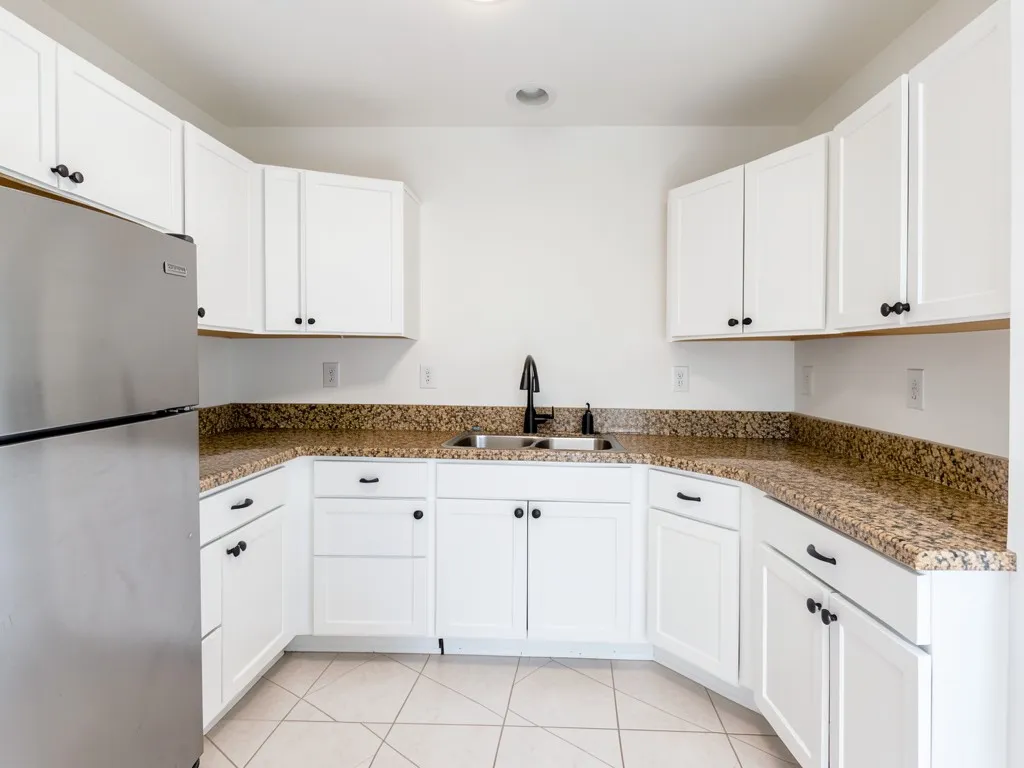
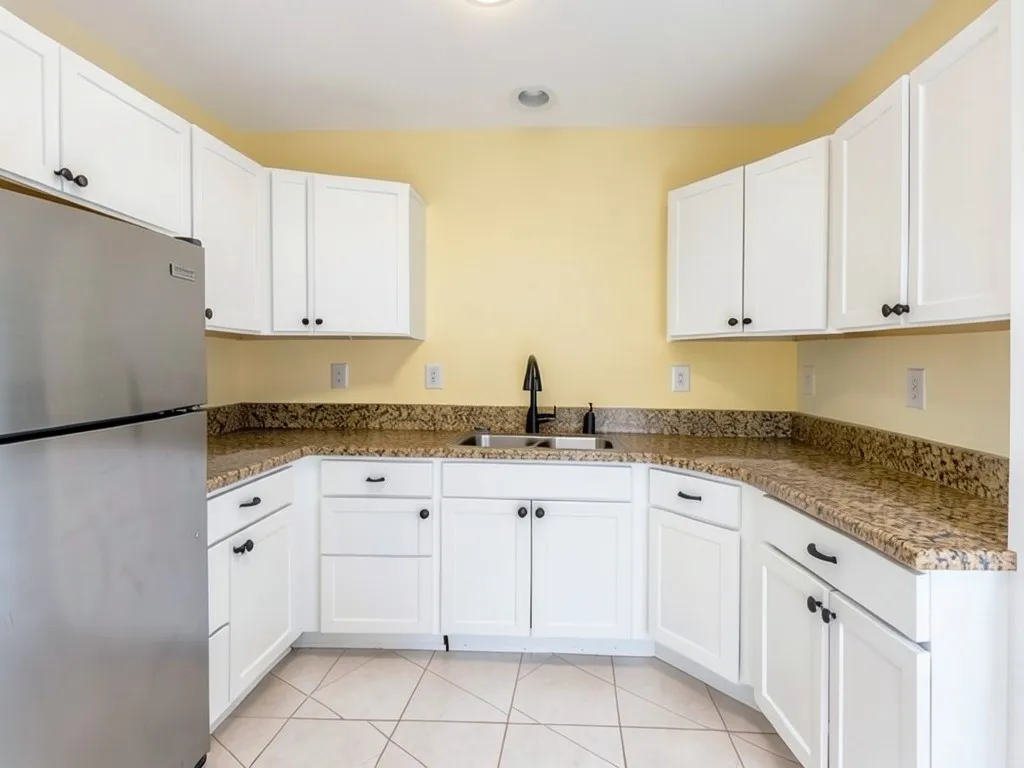
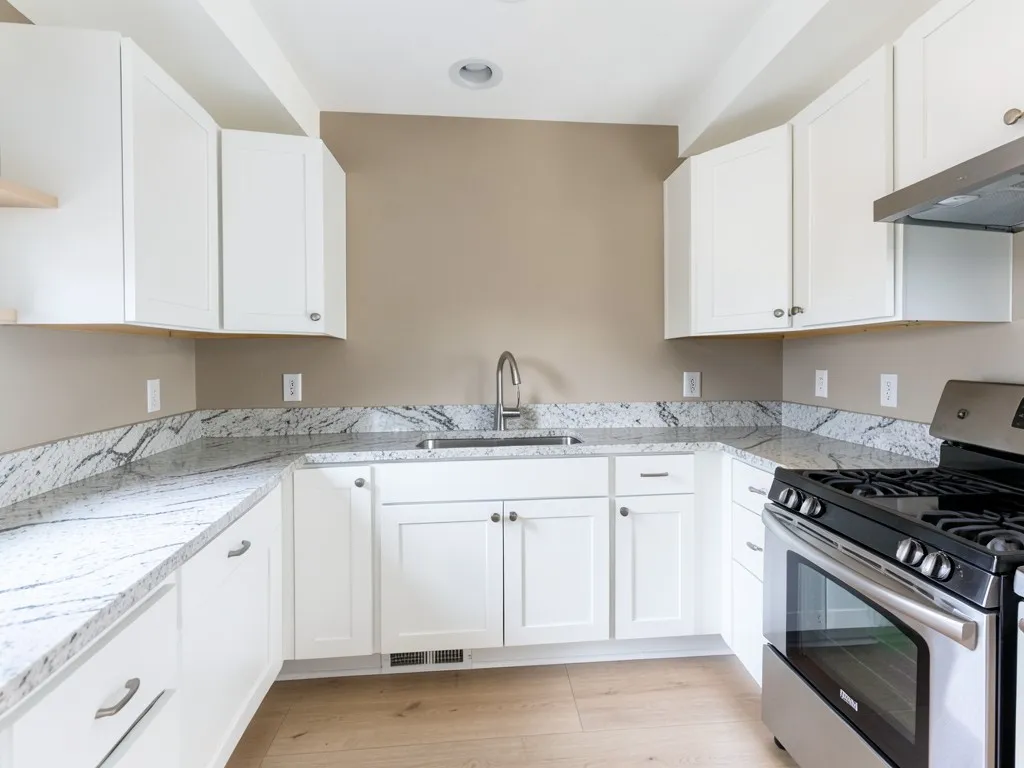
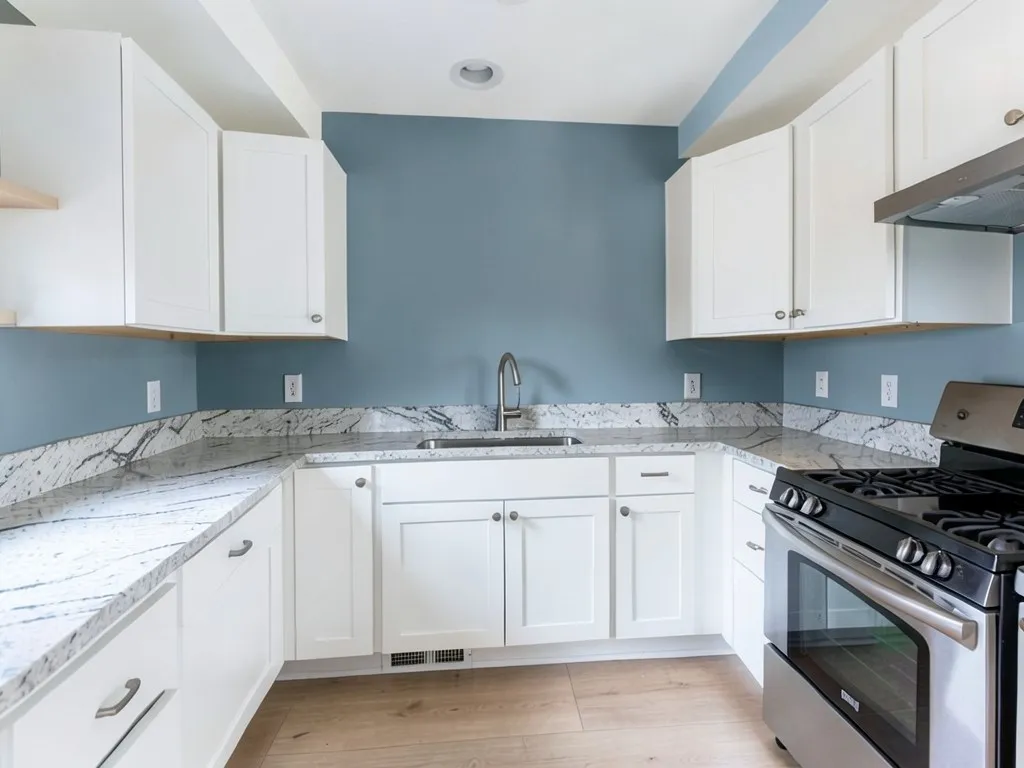
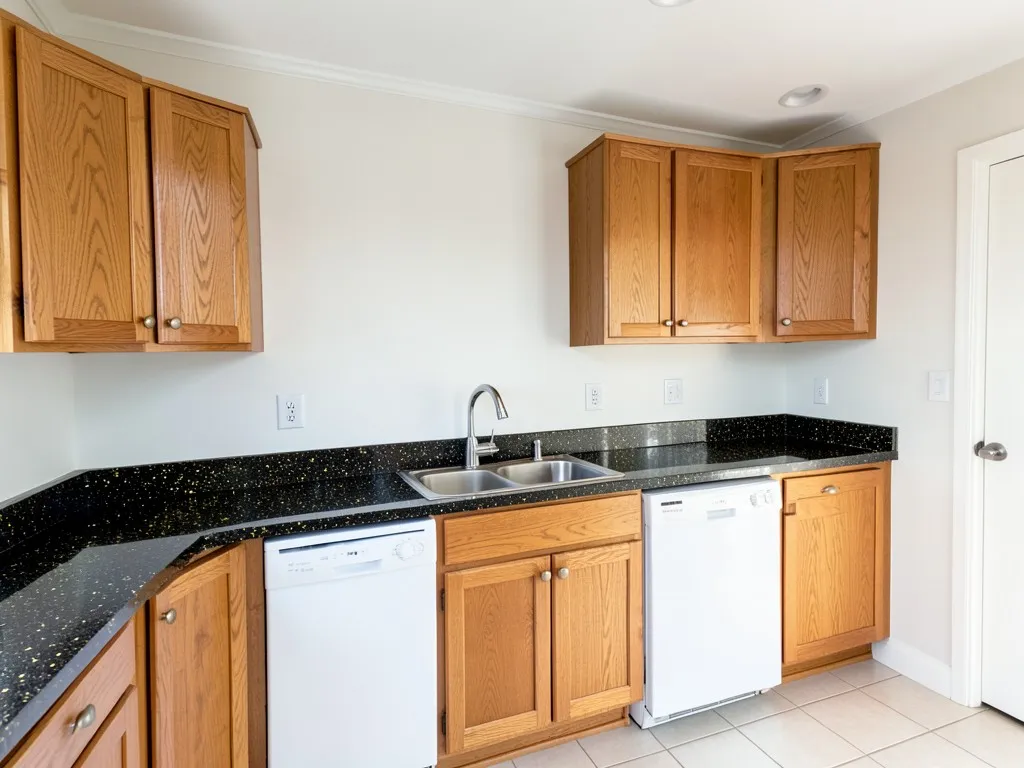
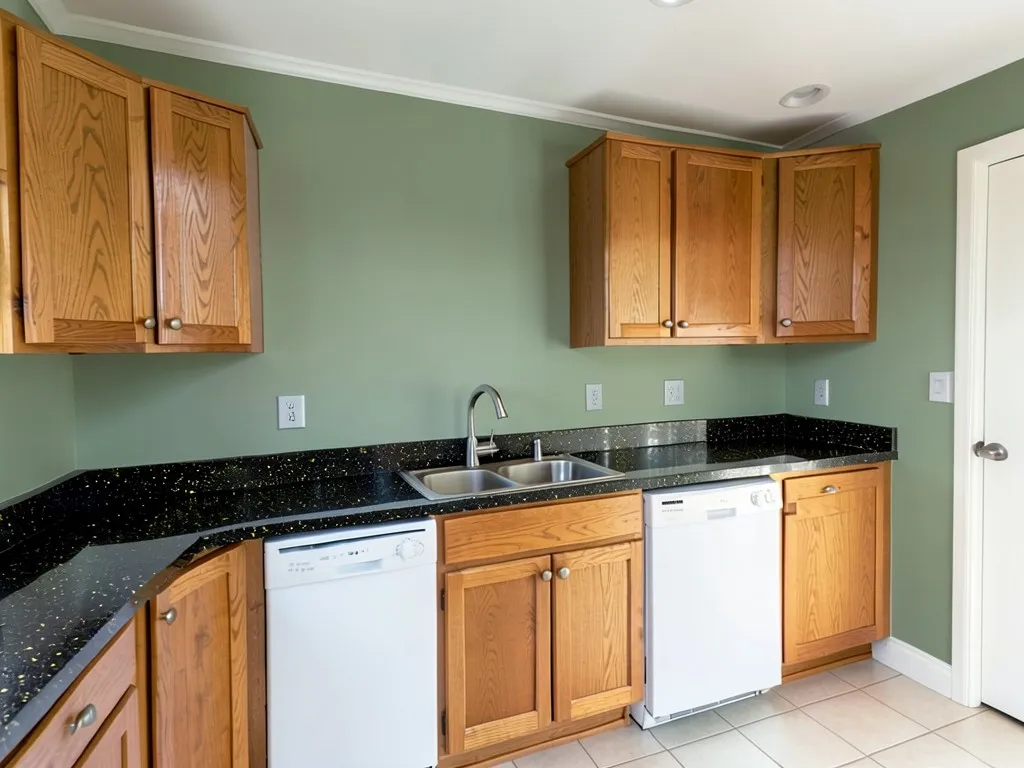
AI-generated sample edits. The before photos are AI-drawn stand-in rooms, not photos of real rooms; the camera angle and light stay the same and the paint color changes. The samples were made with a fast image model (4 processing steps), so your own render may look different. Each caption names anything else that changed and any rerun. A render shows a color idea, not real paint on a real wall.
 Before
 After
 Before
 After
 Before
 After
How to Preview Wall Colors Next to Your Granite
- Take a clear photo. Stand back so the wall, the countertop and the cabinets are all in view, with the lights on. Include the part of the wall above the counter, because that is where the granite and the paint meet.
- Open the paint tool in Custom mode. Upload the photo and describe the change in one sentence: “Paint only the plain wall above the counter a soft warm cream. Keep the cabinets, granite countertop, backsplash, appliances and floor exactly the same.” Name the backsplash, because the AI can paint tile along with the wall.
- Compare, then test a sample next to the stone. Render two or three colors and look at the granite in each. Then paint a large sample beside the counter and look at it in the kitchen's own light, since a render does not show real light or the exact undertone.
The guides we read start from the granite's undertone. For other fixed kitchen elements, see kitchen paint colors, the cabinet paint color visualizer or kitchen island colors, and for the room next door, dining room paint colors.
Wall Colors to Compare by Granite Type
Brown and warm granite
The guides we read say brown, gold and tan granite pairs with warm walls, such as creams, soft yellows, warm greens and tans, and that a cool wall can make the stone look muddy. In our example, white walls went a soft butter yellow beside brown and gold granite.
Gray and cool granite
For gray or white granite with gray veining, the guides we read lean to cool or neutral walls, such as soft blue-grays, grays and cool whites, and warn that a warm wall can clash with the gray. In our example, beige walls went a slate blue-gray.
Black granite
Black granite is the easiest to pair, since it works as a neutral. The guides we read suggest anything from white and cream to sage and blue; a light wall adds contrast, a mid-tone adds depth. In our example, white walls went sage beside black granite and oak cabinets.
Busy, multicolor granite
Granite with several colors can hold a wall color that echoes one of its flecks. Pick the quietest color in the stone and render it, rather than matching every color.
Before You Paint Next to Granite
- Find the undertone. Look at the stone in daylight: is it warm (brown, gold, tan), cool (gray, blue), or black? The guides we read start here.
- Take a sample to the counter. Hold a large paint sample against the granite, not a small chip in the store, and look at it in the kitchen.
- Mind the cabinets. The wall also sits beside the cabinets, so check it with them in the render, not only with the stone.
- Name the backsplash. A tile or stone backsplash is another fixed element; say in your request that it stays exactly the same.
- Do not try to hide the granite. The aim is a wall that lets the stone look intentional; the render will not change the countertop's pattern.
- Check the details in the render. An AI edit can shift small things. Compare the render with the real kitchen before you decide.
Undertone and pairing advice above is our summary of the granite kitchen guides we read. We do not sell paint, we name no paint colors, and a render is not a color match.
Kitchen Colors With Granite Countertops FAQ
Is the kitchen paint color visualizer for granite countertops free?+
You need a free account to generate. New accounts get 1 free render, and free renders carry a small watermark. After that, paid plans on the pricing page give you more renders without the watermark.
Do I need to sign up?+
Yes. Rendering requires an account so your credits and results can be saved. You can sign in with Google or a one-time code sent to your email.
Will the granite countertop stay the same in the render?+
That is the goal, and it helps to name the countertop, cabinets, backsplash and appliances in your request and say they stay exactly the same. It is an AI edit, not a mask. In our three samples the granite looked the same, but we only ran three. Compare the render with the real kitchen.
What paint color goes with brown granite?+
The guides we read pair brown, gold and tan granite with warm colors such as cream, soft yellow, warm green or tan. Render two or three on a photo of your own kitchen.
What paint color goes with gray granite?+
The guides we read lean to cool or neutral colors such as soft blue-gray, gray or a cool white, and say a warm wall can clash with gray stone. Render two or three and compare.
What paint color goes with black granite?+
Black granite behaves like a neutral, so the guides we read allow a wide range, from white and cream to sage and blue. Pick the contrast you want: light for a crisp look, mid-tone for depth.
How do I tell my granite's undertone?+
Look at it in daylight and next to a white sheet of paper. The guides we read sort granite into warm (brown, gold, tan), cool (gray, blue) and black. The wall color should follow that undertone.
Will the render paint my tile backsplash too?+
It can, since an AI edit can follow the wrong surface. Name the backsplash in your request and say it stays the same, and check the render. The stand-in kitchens here have no tile backsplash.
Will the render show how the color looks in my kitchen?+
No. The render shows a color idea, not the color under your own lights or the daylight through your window. Paint a large sample on the wall and look at it in the morning and in the evening before you buy gallons.
Related Color Visualizers
- Kitchen paint colors – walls for any kitchen
- Cabinet paint color visualizer – repainting the cabinets
- Kitchen island colors – an island in a second color
- Dining room paint colors – the room next door
- Interior paint visualizer – walls and whole rooms
- Match paint color from a photo – find a color you already like
See Your Kitchen Walls in a New Color
Upload one photo and compare a warm, a cool and a sage wall beside your granite before you paint.